Build with the AI model you already use
Substrait is built for citizen developers: people in operations, finance, sales or HR who build tools for their own work with AI. They are not engineers, and they should not need to become one to put a tool live.
Easier than the usual routes
Teams usually have four ways to put a tool built with AI in front of colleagues. Each one stops somewhere that Substrait does not.
| The usual route | Where it stops | On Substrait |
|---|---|---|
| An AI app builder that hosts the tool itself | The tool runs on the vendor’s servers, outside your sign-on and your security review | The tool runs on your company’s Substrait, behind your sign-on, through your security check |
| A low-code platform | People build in the vendor’s editor and format, and the tool is tied to it | People build with the AI model they already use, and the company owns the code |
| IT builds the path for each tool | About a dozen specialist steps per tool: packaging, networking, secrets, access rights, a private path to company systems, deploy and rollback, logging and sign-on | Every step is in place before anyone builds |
| A general cloud account | The builder must know infrastructure, and nobody reviews the result | The builder runs one command, and the security check reviews every release |
Fitted to your company
Before anyone builds, Substrait’s forward-deployed team fits the plugin and its scaffold to your company. From then on, every build starts inside your standards.
| What is fitted | What it means for each tool |
|---|---|
| Your design language | Every tool, and every Slate, uses your organisation’s own design: colours, type and components. Tools built by different people look like one family. |
| Your infrastructure stack | Your cloud account, your networking, your secrets handling and your deploy and rollback paths are built in. Each tool runs the way your IT already runs software. |
| Your sign-in and identity | Every tool signs people in through your identity provider from its first version, and every person, tool and agent gets its own identity that Substrait issues and can revoke. |
| Your templates | Builders can start from templates of common business software, already wired to your company. |
The scaffold is versioned. When your company updates a standard, Substrait shows which tools were built on an older version, and each one moves on at its next deploy. No running tool changes until its owner deploys it.
Go live in one click
- Build with your own AI model. A Substrait plugin works inside Claude Code, the Claude desktop app and Cursor. A person with nothing installed can build in a browser workspace.
- Start from a scaffold fitted to your company. Your sign-on, secrets handling and deploy paths are already in place.
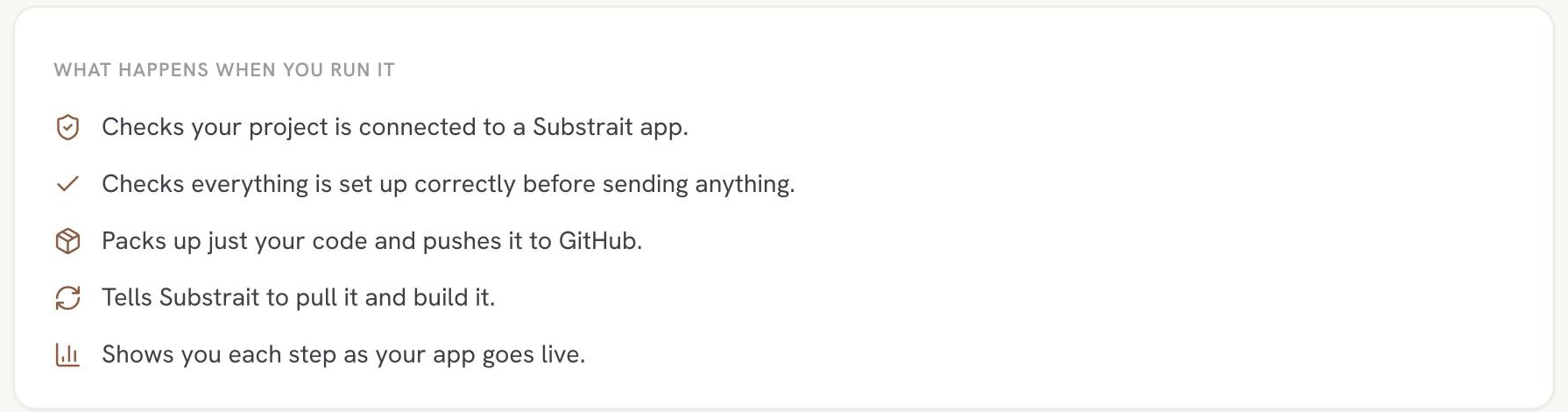
- Send it to dev. One command puts the tool in dev, behind your organisation’s sign-in.
- Go live in one click. The click promotes the exact build tested in dev to production, through the security check.
- Roll back in one click. Every release is versioned.
Everything a tool needs
A place to run
| Dev and production | Two environments, each with its own database, file storage, settings and address |
| The services a tool needs | A database, file storage, and a cache, a message queue or a vector database when the tool needs one, provided by Substrait |
| Your own AI model key | Each organisation uses its own key. Each builder can have a budgeted key, with the spend visible to an admin. |
| Our cloud or yours | A standard setup on Substrait’s cloud, or inside your own cloud account or data centre |
Help while you build
| Guided fixes | When the security check finds a problem, the builder fixes it with guided steps |
| Logs, through the AI model | The builder asks their AI model why a request failed, and it reads the logs |
| A coach in the platform | Substrait tells each builder what to do next, at the depth that fits what they know |
Looked after once it is live
| Monitoring and alerts | Crashes, failed starts and failing requests reach the builder and the owner |
| A place on Home | Every employee finds the tools they use on their own Home page, and colleagues’ shared tools in Explore |
| An API others can build on | Each tool’s API is listed in the API Library, so colleagues can build on it once its owner approves |
No orphaned tools
Every tool has a named owner and can have collaborators. Ownership can be transferred when someone moves on. A tool’s data grants stay with the tool, so it keeps working.